
Roll20 uses cookies to improve your experience on our site. Cookies enable you to enjoy certain features, social sharing functionality, and tailor message and display ads to your interests on our site and others. They also help us understand how our site is being used. By continuing to use our site, you consent to our use of cookies. Update your cookie preferences .
×
Create a free account

Tokens getting color changed when adding to roll20

1568343972

Edited 1568344843
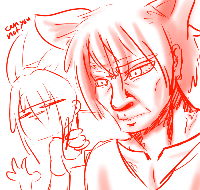
I've been at this for a couple hours now, I've done all the things for the Troubleshoot and, well, I keep having this problem where one of my Roll20 games my token gets this weird color filter and makes it look entirely different from how I made the token. This is the first time, a Green hue and adding heavy  shadows to the background Same thing as above, but blue Take Idk at this point, but in red Teenage mutant ninja shy guys I use Google Chrome, I disabled my Extensions, I cleared my Cache, my Antivirus/Firewall really doesn't care about roll20 and, I just have this problem. I'm Win10, Google is  76.0.3809.132 Javascript's enabled And this is from a single token

1568346752
keithcurtis
Forum Champion
Marketplace Creator
API Scripter
Have you by any chance changed the default tint for graphics in your game settings? There's a bug there that doesn't let you set it back to transparent after you have changed it to a custom tint. Every graphic would come in with a tint.
1568347248

Edited 1568347827
I haven't as far as I know on the Roll20 thing. I used Gimp to create the token I don't really even know how to change the default tint as a player in roll20
Went poking around and saw someone made a new game to try and see if it worked. Well, uh. It's this now.  I'm, really unsure. I'm gonna be out and off my computer for a few hours, and I'll clear my cache again, see if it's that. I'm not sure if I let it clear long enough or what.
it went a lot faster this time, it did not work
Hello Daisuke, I am sorry that you have encountered this issue.  Does this issue persist in firefox? What image file type are you using for this image? You can find a list of supported file types here .  Additionally, please try to deleted all instances of this image from your Recent Uploads , exit your game properly, clear your cache, close out your browser and try to re-upload the image. Please note, this will remove it from any game using this image. Thanks!
I mean, I can try firefox. It's a PNG. and it fixed it. neat. I'll do all that to my Google just in case though
Hello Daisuke, I am glad to hear that the issue has been resolved. As a bit of information for any future issues, Roll20 is supported in both Firefox and Chrome. If there are issues in one but not the other, or if the issue persists in both, it helps provide information and give direction as to what is happening with the issue to help provide a remedy. That is why it is best to see if the issue happens in both browsers.  If you have any further issues, please let us know. Thanks!