Roll20 uses cookies to improve your experience on our site. Cookies enable you to enjoy certain features, social sharing functionality, and tailor message and display ads to your interests on our site and others. They also help us understand how our site is being used. By continuing to use our site, you consent to our use of cookies. Update your cookie preferences .
×

Database down or something?

I already checked my account status and all. I do still have PLENTY of space... so it can't be anything in regards to my account or my PC (which I checked aswell). <a href="https://cdn.discordapp.com/attachments/574534573627801610/636214858261463051/Angst.png" rel="nofollow">https://cdn.discordapp.com/attachments/574534573627801610/636214858261463051/Angst.png</a>
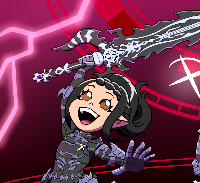
Seems to be, that's about what all of my games look like as well right now. :/
Same thing here same on 2 different browsers
Looks like AWS S3 is having issues, it's what hosts most of the images. Gonna just have to wait for it to clear up. <a href="https://downdetector.com/status/aws-amazon-web-services/" rel="nofollow">https://downdetector.com/status/aws-amazon-web-services/</a>
Hello&nbsp; Bloodaddic† , I'm sorry to hear that you're having issues with the site. To rule out possible issue,&nbsp; please carefully work through these steps of our guide to&nbsp; Solving Technical Issues : Step 1: Make sure to use the right browser Please check if these issues persist when using both Chrome&nbsp; and&nbsp; Firefox. Step 2: Ensure that there are no extensions/addons interfering with Roll20 Please disable&nbsp; all&nbsp; add-ons/extensions. Step 3: Clear your cache If none of the above succeeds, please thoroughly work through all of the requested information in&nbsp; Step 4 .&nbsp; (Don't forget the complete Console Log! Thank you!
I got it too. RIP
1571773674

Edited 1571777600
Just had to abort tonight's session. For 3 of my players they couldn't see anything on the map or token layer - just the white background and the grid. Myself as GM and one of the players could see the map and the tokens fine. Same result for both the succesful and unsuccesful in Goggle Chrome (both normal and incognito mode) and Firefox. Same with and without extensions and clearing cache. Creating a new map did the same result - however, some of the old maps still worked for all players. I didn't have fog of war or Advanced fog of war enabled for any of the problematic maps. None of the players have had any issues like this in the other sessions we have had over the years, and suddenly 3 of them had the same issues independent of browsers. We concluded that it was due to a central problem and postponed the session.
Hi @Rainflame, I followed your steps.&nbsp; Step 1: Make sure to use the right browser Please check if these issues persist when using both Chrome&nbsp; and&nbsp; Firefox. RESULT: &nbsp;Same on both browsers Step 2: Ensure that there are no extensions/addons interfering with Roll20 Please disable&nbsp; all&nbsp; add-ons/extensions. RESULT: No Extenstions installed. issue persists Step 3: Clear your cac he RESULT: Issue persists I hope this help you further.&nbsp; Please let me know if you need more information
Hi @Rainflame, I can also confirm that their seems to be a website wide issue with images not loading. Step 1: Make sure to use the right browser Please check if these issues persist when using both Chrome&nbsp; and&nbsp; Firefox. RESULT: &nbsp;Same on both browsers Step 2: Ensure that there are no extensions/addons interfering with Roll20 Please disable&nbsp; all&nbsp; add-ons/extensions. RESULT:&nbsp; No Extenstions installed. issue persists Step 3: Clear your cac he RESULT: &nbsp; Issue persists Happy to provide further information. Good luck and many thanks :-)
All my images, both old and new, show up as a broken icon on all the games I have. Both as a player and a GM. At first I had a few things that worked but now everything is broken. Even the user images on this very forum. I am using Chrome. I removed all extensions and tried again. I cleared my cache. Hell, I even did a defrag that I know doesn't affect the browser, updated my windows, and restarted my computer. No dice.
@Rainflame I too am having these same issues. Step 1: Make sure to use the right browser Please check if these issues persist when using both Chrome&nbsp; and&nbsp; Firefox. RESULT: &nbsp;Same on both browsers Step 2: Ensure that there are no extensions/addons interfering with Roll20 Please disable&nbsp; all&nbsp; add-ons/extensions. RESULT:&nbsp; No change. Issue persists Step 3: Clear your cac he RESULT: &nbsp; Issue persists Nothing is changing anything at all and is honestly ruining the limited time i have to enjoy playing with friends.
I'm in the same boat - briefly worked in incognito mode in Chrome but it's since stopped there too.
Atlas Probably said: Looks like AWS S3 is having issues, it's what hosts most of the images. Gonna just have to wait for it to clear up. <a href="https://downdetector.com/status/aws-amazon-web-services/" rel="nofollow">https://downdetector.com/status/aws-amazon-web-services/</a> This, wait for AWS to fix the issues. <a href="https://imgur.com/8RJlUl1" rel="nofollow">https://imgur.com/8RJlUl1</a>