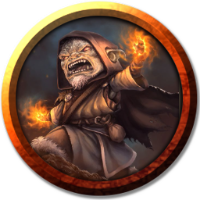
Kraynic said: Omid T. said: The Tokens are in my art library. Do I need to make a character sheet for them in my journal or did I miss understand? What you have in the art library is just an image. When dragged out, it will create a blank token with all settings blank/default according to any default token settings you created in the game settings (accessed through the settings drop down on the game launch/details page). If you want to preserve a certain configuration on the token, it needs to be either set up on a particular holding map from which you can copy the token any time you need it (which will preserve the settings when you paste it on another map page), or it needs to be saved as the default token on a sheet/journal (and it will use the exact settings each time it is dragged out from the journal as it had when set as the default token). Jarren K. said: Omid T. said: I have a bunch of magic tokens and I want to add light effects to the fire ones. I drag a token out and edit it to have dynamic light, then save it, but that setting is not save to the token. As soon as I delete it and drag it out again it no longer has lighting. Omid T. said: The Tokens are in my art library. Do I need to make a character sheet for them in my journal or did I miss understand? Correct, you need to make a character sheet for them. Tokens do not save settings to future versions of the token that are pulled out from the art library. The only place to save changes for future tokens that are pulled out is from character sheets. The art tab is just a collection of pieces of art, and they will always be pulled out with default (no lighting) settings. So I would suggest creating a character called 'Fire Token'. Take a token that is correctly set up for the lighting you want, select it, then open the 'Fire Token' character sheet and on the Edit screen, click on the 'Use Selected Token' for the 'Default Token (Optional)' setting. Then when you need another Fire Token in the future, you'll pull it out from the journal, not the art tab. I get it now, thank you all for your help!