


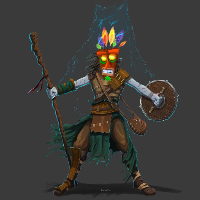
Hi all, I am sure this has been done before but I needed a basic set of scripts to add new NPC Character sheets to a wild shape menu. This allows players to wild shape into any NPC that they have control quickly and somewhat efficiently. It is still a work in progress but figured I should put it out there to see what others think of it. At it's core it is essentially just a character token swap that can be setup once for a player and their transformations. It could also be used for polymorph or any other spell/Feature that changes a character into something else but for now I just have it called Wild Shape. Here is the link to the github: <a href="https://github.com/kwilli96/Wild-Shape-Manager" rel="nofollow">https://github.com/kwilli96/Wild-Shape-Manager</a> Wild-Shape-Manager
A script to that will allow any player to wild shape into
any NPC/PC that they have control of. The script overall is pretty basic
and relies on the Character sheets of PC and NPCs to be setup so that a
single user has control of the character. If the Character has multiple
controlled by users then there could be unexpected results.
To setup a Wild Shape you just need to set the Wild Shape character
sheet to be controlled by the player. Then have the player run the
!Set-As-Wild-Shape command with the Character's token selected. Once
this step is completed the character will permanently become a wild
shape available to the player. The wild shape token will be the default
token whatever character it is spawning.
A player can have as many wild shapes as they want but a caveat is that
each one will need a seperate character sheet that has a unique name for
them (i.e. "Dire Wolf" can be renamed to "Dire Wolf -CharacterName-".
Commands
!Set-As-Wild-Shape
This will set the selected token as a character that the
player can be wild shape into. This command must be run by the player
that is using the wild shape.
!Unset-As-Wild-Shape
This will set the selected token as a character that the
player can no longer wild shape into. This will set a character to no
longer be a wild shape target. This command must be run by the player
that is using the wild shape.
!Set-As-Default-Character
This will set the selected character as the base character
that a wild shape will transform back into. This will be the the
Players character that is a druid.
Macro example: !Set-As-Default-Character
!Wild-Shape [--fx|<fxmode-fxcolor] [--statusmarkers|<true/yes/1/false/no/0>]
This will bring up the menu of wild shapes that a player
has access to. If the player has the Base Character selected (i.e. the
druid form) they will get a list of their available Wild Shapes. If the
player has a wild shape selected they will get a list with only their
base character as an option.
NOTE: Currently the parameter statusmarkers does not work. This
is an issue with SpawnDefaultToken that we are still working through
Macro example: !Wild-Shape --fx|burst-smoke
