Roll20 uses cookies to improve your experience on our site. Cookies enable you to enjoy certain features, social sharing functionality, and tailor message and display ads to your interests on our site and others. They also help us understand how our site is being used. By continuing to use our site, you consent to our use of cookies. Update your cookie preferences .
×
This post has been closed. You can still view previous posts, but you can't post any new replies.

Can I reset my new Monster Manual?

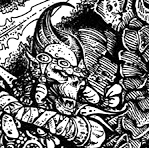
Hello all at Roll20. I recently purchased the Monster Manual for 5th edition and initially it worked perfectly. However it has now started to refuse to import certain monsters which were working a few days ago. For example, the Barbed Devil and Beholder Zombie will no longer pop up and add a token to the map. This happens with several other monsters which I have imported previously to the object/token layer. Would it be possible to reset my copy of the Monster Manual. I have tried using both Firefox and Google Chrome to display my maps but am having this on going problem. I have cleared the cache and history on both browsers but to no avail. Could somebody please help a newbie DM? Many thanks, Darkthrone 
1488513370

Edited 1488513488
Tetsuo
Forum Champion
Hey Darkthrone! Sorry to hear you're having issues! Are you experiencing this issue in a fresh campaign as well? If so, could you please carefully work through the first three steps of our guide to Solving Technical Issues ? Step 1: Make sure to use the right browser Please check if these issues persist when using both Chrome and Firefox. Step 2: Ensure that there are no extensions/addons interfering with Roll20 Please disable all add-ons/extensions and anti-virus programs. Step 3: Clear your cache If none of the above succeeds, please thoroughly work through Step 4 . When you grab your console log, do it after trying to import one of the problem tokens
Try deleting the character sheets.
Thank you both for your advice. I tried the tokens on a fresh campaign as suggested by Franky H. and they displayed after a long wait (about 15 seconds.) I then disabled my Adobe Acrobat extension in Firefox as well as deleting character sheets as posted by SkyCaptainXIII. Now the tokens work perfectly:) Thank you both for the kind advice, this has been driving me mad for over an hour. Thank you so much for the quick response as well. Have a great day! Darkthrone
1488517202
Tetsuo
Forum Champion
Awesome. Glad to hear you got it fixed. As this is resolved, I'll close it and mark it resolved. Please feel free to post with any other issues you might run into!